Gemini Omni Prompt Generator

The Gemini Omni Prompt Generator built for video creators

Stop guessing what to write. This Gemini Omni prompt generator turns your idea into a structured, model-optimized video prompt in seconds — supporting Gemini Omni Flash, Seedance 2.0, Runway, Kling, and more.

Supports Gemini Omni Flash · Seedance 2.0 · Runway Gen-4.5 · Kling 3.0 · Veo 3.1

AD

Why creators pick this Gemini Omni prompt generator

Most AI video tools leave you on your own when it comes to prompts. This Gemini Omni prompt generator is built around the gap.

A Gemini Omni prompt generator that speaks every model's dialect

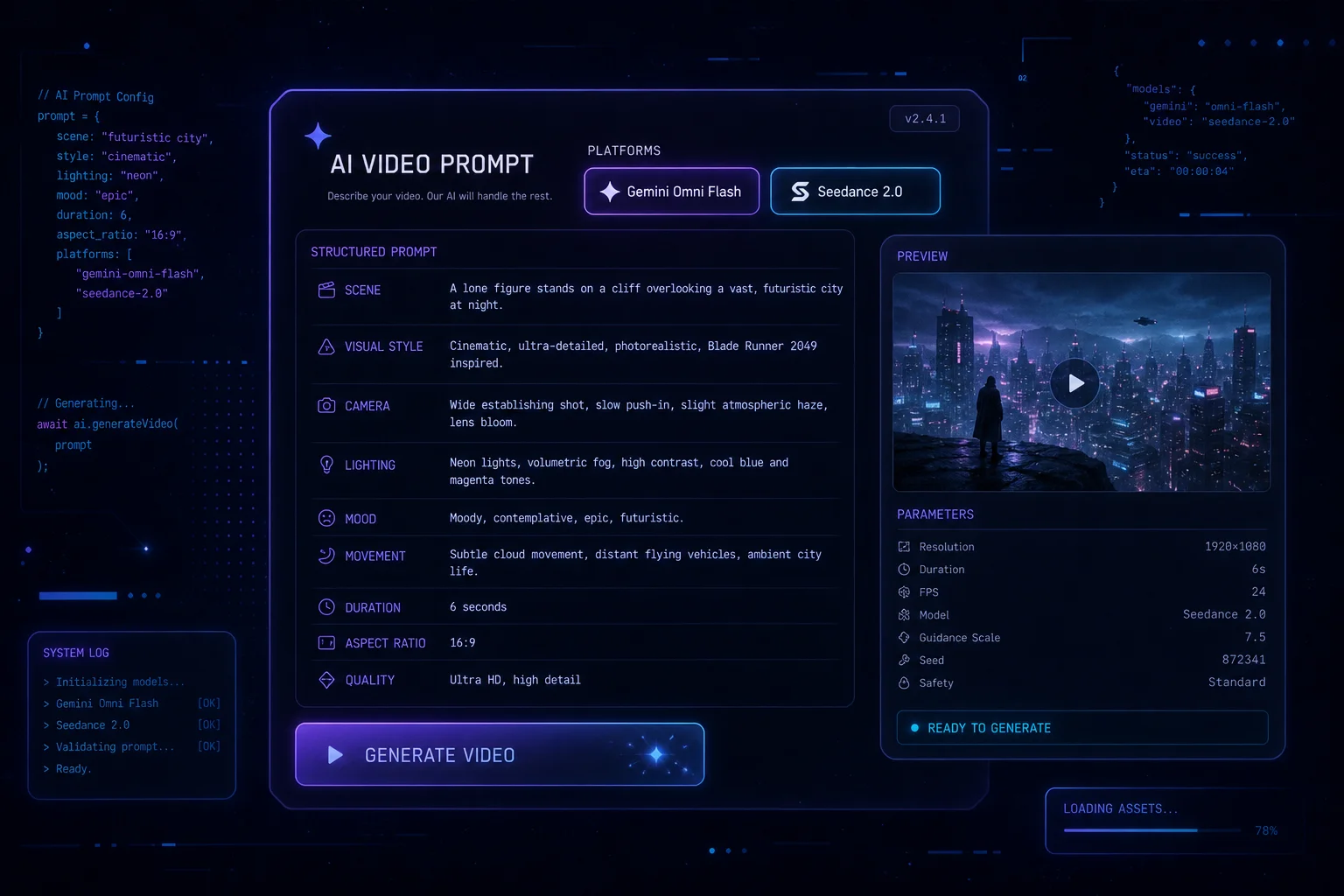
Gemini Omni Flash expects lip-sync audio cues and SynthID-ready descriptions. Seedance 2.0 rewards multi-shot continuity instructions. Runway Gen-4.5 needs explicit camera lock commands. This Gemini Omni prompt generator applies the right format for each platform automatically — no manual rewriting required.

Gemini Omni prompt generator outputting platform-specific structured prompts

Get three Gemini Omni prompt variations in one click

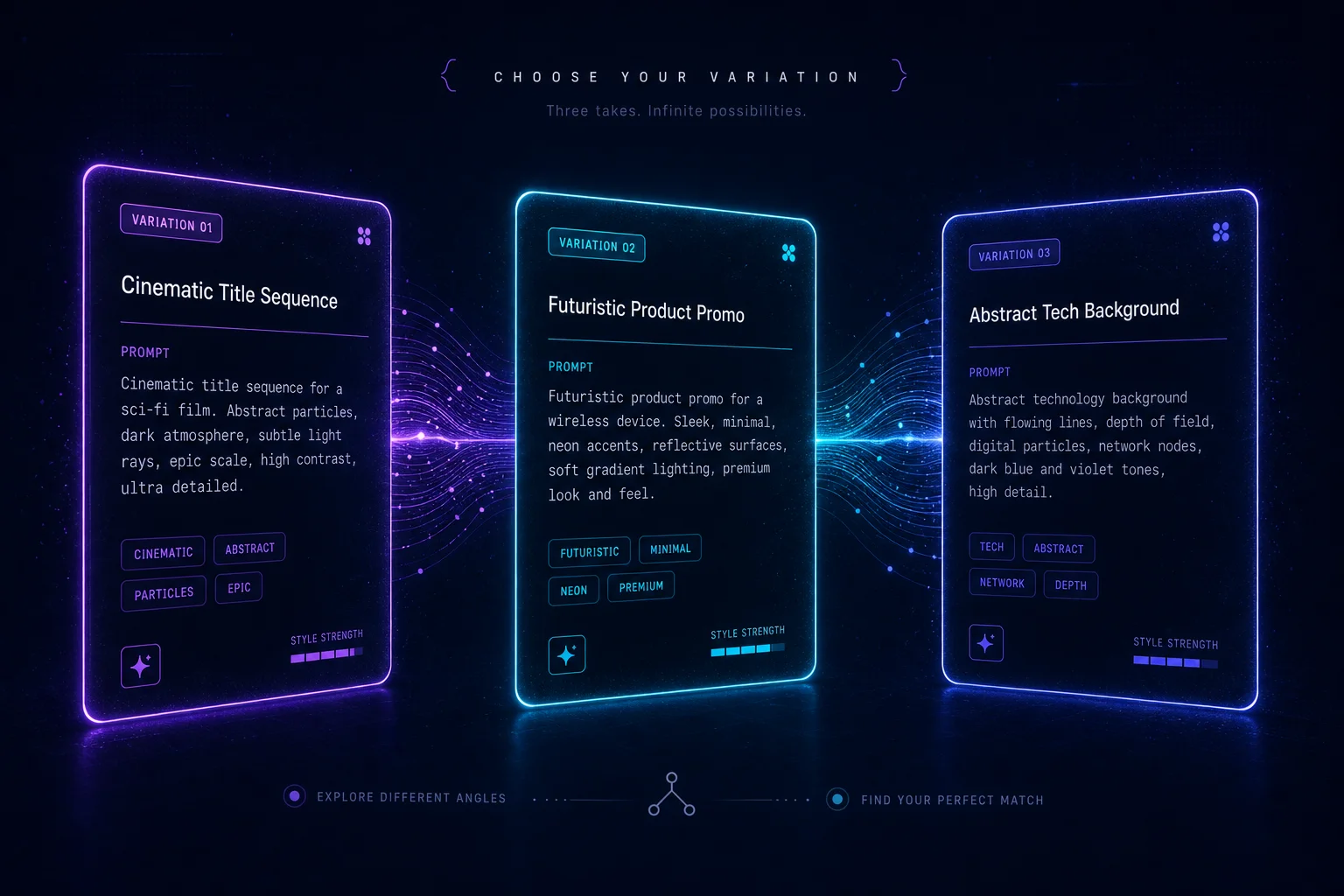
Struggling to get the perfect Gemini Omni prompt on the first try is normal. This generator outputs three distinct variations from the same parameters — different subject emphasis, camera motion, and stylistic framing — so you can test and iterate without rewriting from scratch.

Three Gemini Omni prompt variations displayed side by side for comparison

Use the Gemini Omni prompt generator in three steps

From blank page to ready-to-paste Gemini Omni prompt in under a minute.

01

Pick your scene and style

Select from seven scene types (product ad, talking head, animation, cinematic, short-form, tutorial, vlog) and six visual styles. The Gemini Omni prompt generator uses these to anchor the structural frame of your prompt.

  • Works for 5s, 10s, and 30s clips
  • Optimized for Gemini Omni Flash by default
Open the generator
02

Describe your subject in plain language

Type what you want in the video — a product, a person, a scene. The Gemini Omni prompt generator handles the structural translation into Subject / Action / Camera / Environment / Style format that AI video models actually understand.

  • No prompt-writing experience needed
  • Plain English works fine
03

Copy, paste, and run your Gemini Omni prompt

One click copies the optimized Gemini Omni prompt to your clipboard. Jump directly into Gemini app, Google Flow, Dreamina (Seedance), or Runway with a single tap. Your prompt is already formatted for the platform you chose.

Try it now

What the Gemini Omni prompt generator does

Every feature in this Gemini Omni prompt generator is built around one goal: getting your video idea into the right model, faster.

Platform-aware Gemini Omni prompt templates

The generator ships with dedicated prompt templates for Gemini Omni Flash, Seedance 2.0, Runway Gen-4.5, Kling 3.0, and Veo 3.1 — each tuned to that model's prompt dialect.

Try the generator

One-click copy and platform jump

Hit copy to grab your Gemini Omni prompt, or jump directly into Gemini app, Google Flow, or Dreamina without leaving the page.

Open generator

Three prompt variations per generation

Each generation produces three distinct Gemini Omni prompt variations — same parameters, different emphasis — so you can A/B test which works best for your clip.

Generate prompts

Camera and motion control

Select from six camera movements (static, push/pull, pan, follow, orbit, multi-cut) and watch the generator wire the correct instruction into your prompt automatically.

See examples

Share your generated prompt

Share your Gemini Omni prompt build — including all parameters — via a URL so collaborators can fork and iterate from the same starting point.

Share a prompt

Multilingual output ready

Gemini Omni Flash renders in-video text in English, Chinese, Japanese, and Korean. The generator adds the correct multilingual text-rendering hint when you pick Omni Flash as your target.

Read the guide

Who the Gemini Omni prompt generator is for

Whether you're making your first AI video or your hundredth, the Gemini Omni prompt generator removes the blank-page problem.

E-commerce video creators

Generate product ad prompts optimized for Gemini Omni Flash — complete with lip-sync audio cues, camera movement, and SynthID watermark hints — in seconds.

Most popular use case
Try the generator

Short-form content creators

Build 9:16 vertical prompts for Seedance 2.0 multi-shot sequences or Gemini Omni Flash talking-head clips. Switch platforms without rewriting from scratch.

Seedance 2.0 + Gemini Omni
Start creating

Marketing teams

Speed-run from brief to Gemini Omni prompt to finished video. Use the compare page to pick the right model for each campaign objective.

Team-friendly
See model comparison

New to AI video generation

No prompt-engineering background required. Type what you want in plain language — the Gemini Omni prompt generator handles the rest.

Beginner-friendly
Read the guide

Gemini Omni prompt generator FAQ

Common questions about using the Gemini Omni prompt generator and the models it supports.

What is the Gemini Omni prompt generator?

OmniPrompt's Gemini Omni prompt generator is a free web tool that takes your video idea — scene type, visual style, subject description, camera movement, and duration — and outputs three structured, platform-optimized prompts ready to paste into Gemini Omni Flash, Seedance 2.0, Runway, Kling, or Veo 3.1.

What makes a Gemini Omni Flash prompt different from a generic AI video prompt?

Gemini Omni Flash is designed to co-generate synchronized audio alongside video — including dialogue, sound effects, and music — in a single pass. A good Gemini Omni Flash prompt includes lip-sync dialogue cues in quotation marks, audio environment descriptions, and SynthID-compatible framing. Generic prompts skip these and often produce silent or poorly synced clips.

Does this Gemini Omni prompt generator work for Seedance 2.0?

Yes. Seedance 2.0 (by ByteDance) supports multi-shot continuity across cuts in a single generation, synchronized SFX, music, and multilingual lip-sync, and six aspect ratios. When you pick Seedance 2.0 in the generator, the output includes multi-shot continuity instructions and aspect ratio hints tailored to how Seedance 2.0 interprets prompts.

Can I use this prompt generator for Sora?

OpenAI discontinued Sora entirely — the web app and API were shut down in April 2026. We don't include Sora in the generator because the model is no longer available. Seedance 2.0 and Gemini Omni Flash are the current best alternatives for the use cases Sora used to serve.

Is this Gemini Omni prompt generator free to use?

Yes, the Gemini Omni prompt generator on OmniPrompt is free to use. The tool runs entirely in your browser — no account, no API key, and no backend calls required.

How do I get the best results from the Gemini Omni prompt generator?

Research shows the best AI video prompts are 40–120 words, cover Subject / Action / Camera / Environment / Style in that order, and use one scene per generation. The generator follows these rules automatically. For Gemini Omni Flash specifically, adding a specific dialogue line in quotation marks dramatically improves lip-sync accuracy.

What platforms does the Gemini Omni prompt generator support?

The generator produces optimized prompts for Gemini Omni Flash (via Gemini app and Google Flow), Seedance 2.0 (via Dreamina and CapCut), Runway Gen-4.5, Kling 3.0, Veo 3.1 (via Google Flow), and a platform-agnostic generic format.

Try the Gemini Omni prompt generator now

Write your first structured Gemini Omni prompt in under a minute.

Free, in-browser, no sign-up required.

No account needed. Works on all modern browsers.